
Utilities
Batchcraft
The Mac bulk file renamer with live preview and undo.
Batchcraft is a native macOS bulk file renamer. Stack rename rules, filter them to the exact files you mean, preview every new name, and rename with one click. Every operation can be undone. Pay once, no subscription.
$7.99 once · no subscription · 2-day refund
- Preview every new name before anything changes
- Eleven rule types, from find & replace to EXIF dates
- Filter each rule to only the files you mean
- Never overwrites a file, and any rename can be undone
- Native, universal and fully offline
- Version
- 0.2.1
- Requires
- macOS 14 Sonoma or later
- Runs on
- Apple silicon and Intel
- Size
- 1.9 MB
Features
What Batchcraft does.
Live preview
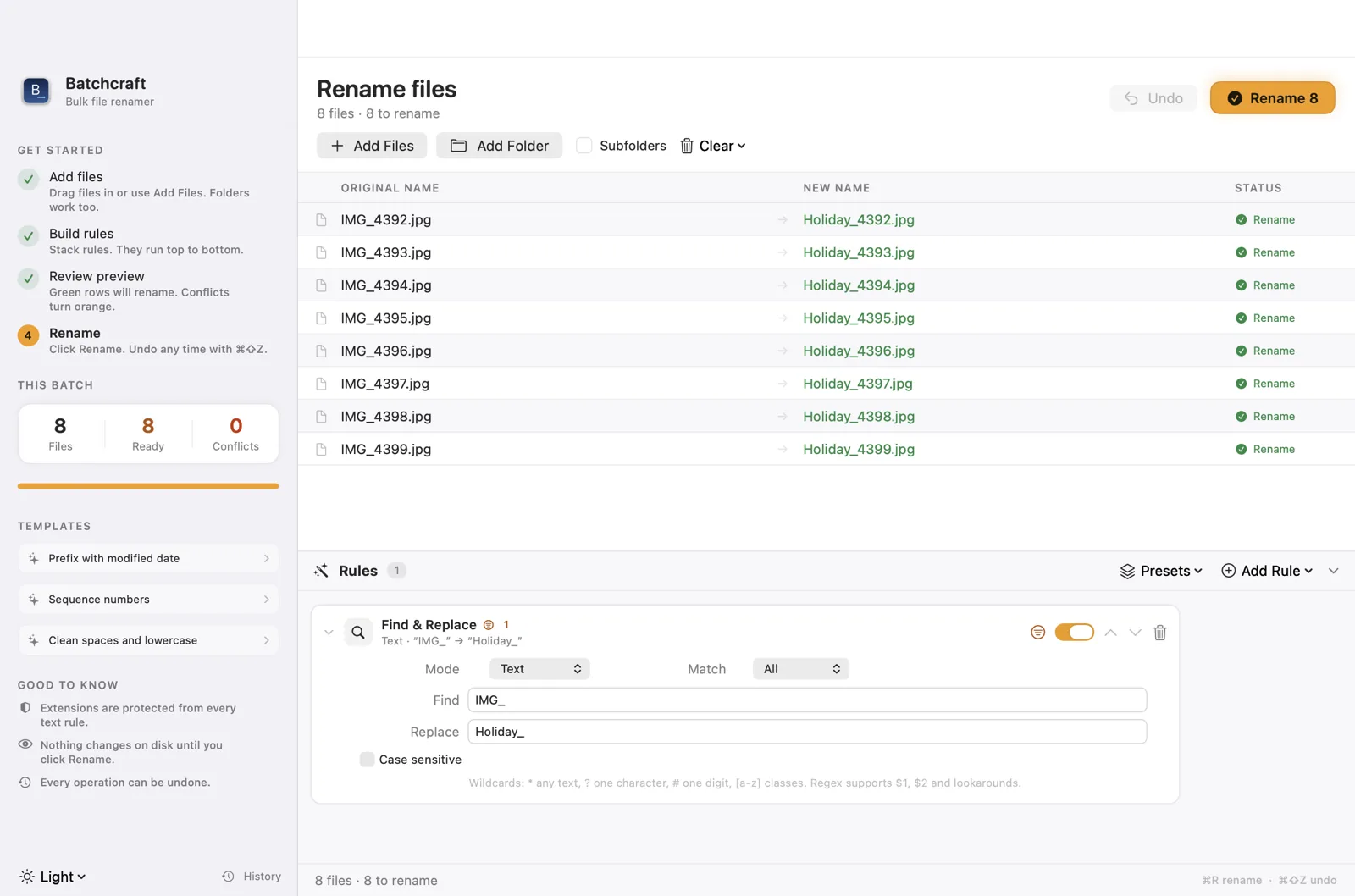
Original and new names sit side by side. Every keystroke updates the preview, so you see the final result before a single file moves.
Eleven rename rules
Find & replace, add text, numbering, case, remove characters, range, rearrange, rename from list, dates, extensions and EXIF. Stack them in any order.
Per-rule filters
Aim a rule at some files only. Combine name, wildcard, regex, extension, folder and is-file conditions with all or any.
EXIF naming for photos
Rename by capture date, camera, lens, ISO, aperture, shutter speed, focal length, dimensions or GPS. Photos without the field fall back to text you choose.
Safe by design
Conflicts are flagged before you rename, existing files are never overwritten, and a two-phase engine keeps swaps and case-only renames safe.
Undo and history
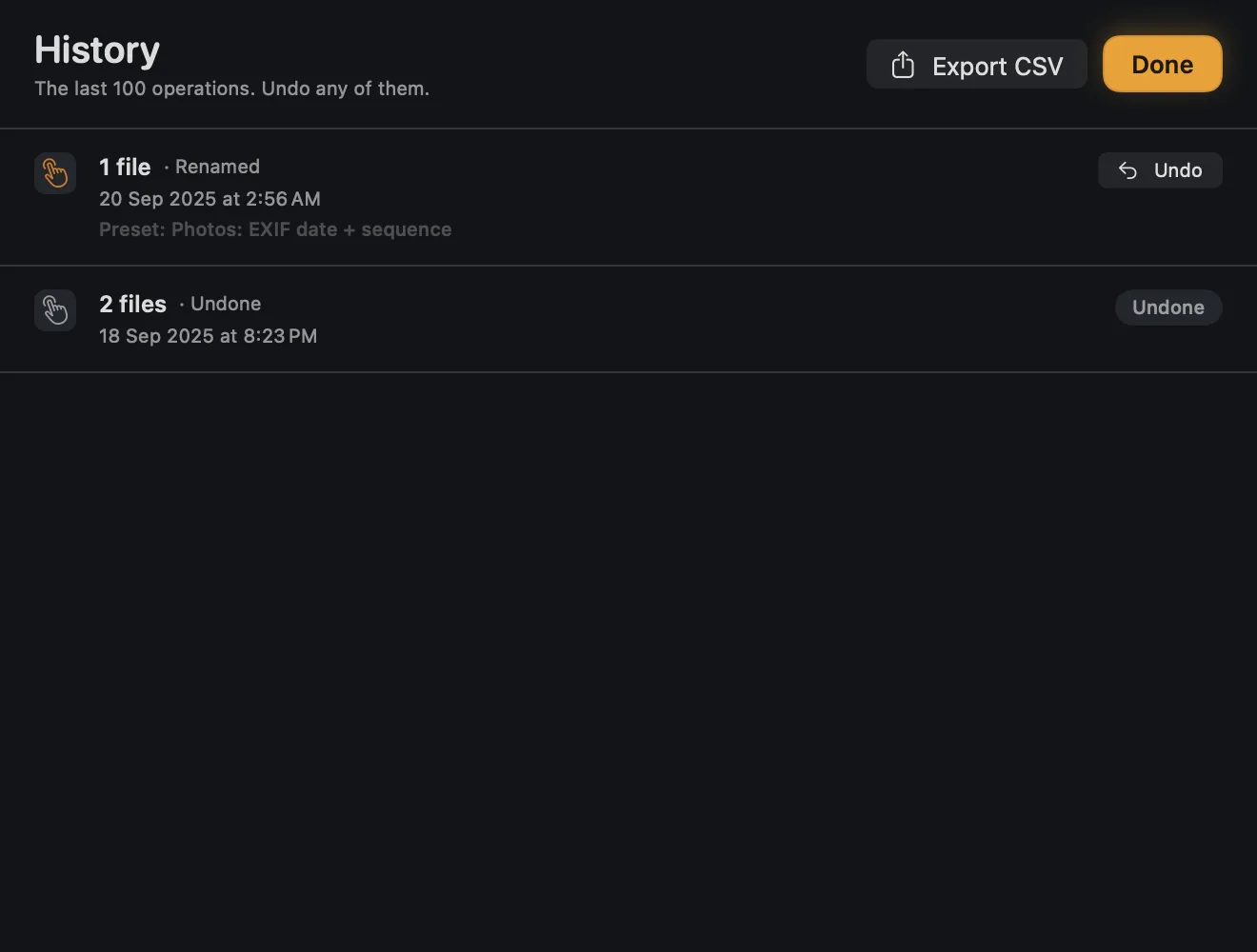
Undo the last rename, or any of the last 100, from History. Export the full record of what moved where as CSV.
A bulk file renamer for Mac that shows its work
Renaming 800 photos, a folder of invoices or a client export one file at a time is slow, and it is easy to get wrong. Batchcraft is a native macOS bulk file renamer: add the files, build a short chain of rules, and watch every new name update as you type. Nothing changes on disk until you press Rename.
It is built for people who rename in batches: photographers, designers, developers, video editors, archivists and anyone who has typed final_final_v3 into Finder and given up.
Rename a whole folder in one pass
Drag in files or a folder, turn on Subfolders if you need nested files, then stack as many rules as the job needs. Rules run from top to bottom, so you can clean a name, add a date, append a sequence and normalise the extension in a single pass.
The extension is protected throughout. Only the Change Extension rule can alter it, so a case change or find & replace can never turn photo.jpg into photo.JPG by accident.
Eleven rules you can combine
| Rule | What it does |
|---|---|
| Find & replace | Plain text, wildcards or regular expressions with $1 capture groups |
| Add text | Prefix, suffix, exact position, or before/after a piece of text |
| Numbering | Start, step, zero-padding, prefix, suffix or a format like Photo_### |
| Change case | UPPERCASE, lowercase, Title, Sentence, camelCase, snake_case, kebab-case |
| Remove characters | First or last N, a range, digits, spaces, symbols, accents or emoji |
| Range | Move, copy, delete or keep part of a name, by position or by text |
| Rearrange | Split on a divider and rebuild the parts in any order |
| Rename from list | Paste names from Excel, Numbers or Google Sheets, by order or by original name |
| Date insertion | Created, modified, today or the photo's EXIF capture date |
| Change extension | Change, replace, remove, lowercase or uppercase |
| EXIF metadata | Date taken, camera, lens, ISO, aperture, shutter, focal length, dimensions, GPS |
Only touch the files you mean
A rule can carry its own filter, so one chain can treat photos and PDFs differently. Combine conditions with all or any:
- name contains or does not contain
- name matches a wildcard or regular expression
- extension is
jpg, heic - folder is a specific folder
- is a file
Everything that does not match is left exactly as it was.
See every name before you commit
The preview is always on. Changed rows turn green, unchanged rows stay muted, and conflicts turn orange. Batchcraft checks duplicates inside the batch and names that already exist on disk. If a target is taken, it stops rather than overwriting.
Swaps and case-only renames are handled with temporary names, so A → B and B → A can happen in the same batch without losing a file.
Undo is part of the workflow
Every operation is written to History. Undo the last rename with Command-Shift-Z, or open History to undo any of the last 100 operations. Each entry records what moved where, and the list exports to CSV when you need an audit trail.
If a batch is interrupted, a journal lets Batchcraft recover what was already renamed instead of leaving a half-finished folder.
Rename photos by capture date
File dates lie. Copying a photo, importing it or restoring a backup can reset the created and modified dates, while the camera's Date taken stays with the image.
Batchcraft reads EXIF with Apple's own image framework. Rename a shoot by date, add the camera or lens, then finish with a three-digit sequence. Photos missing the field fall back to text you choose, and non-image files in the same batch are left alone.
Read the step-by-step guide: rename photos by date on Mac.
Built for macOS, not a web wrapper
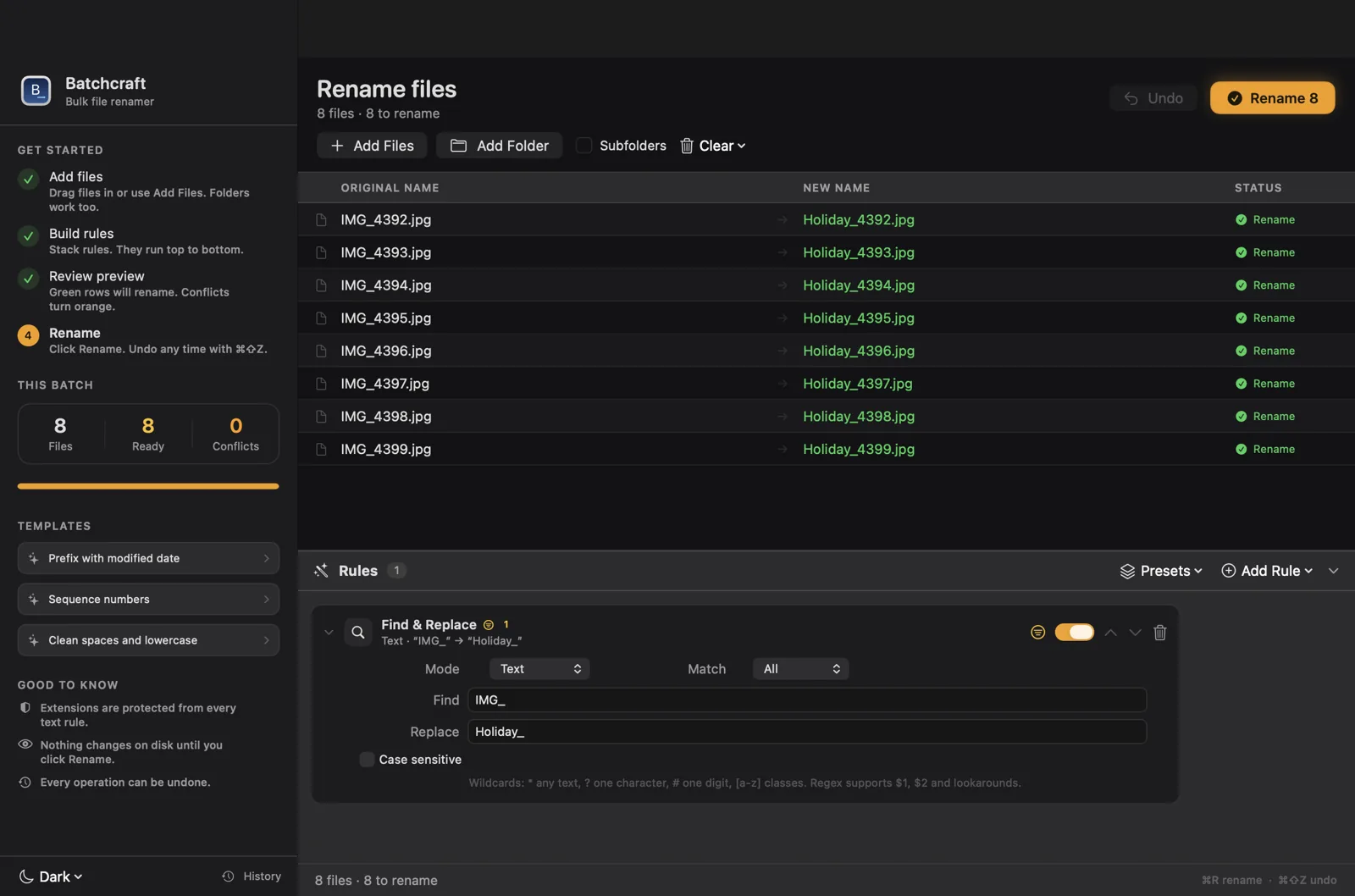
Batchcraft is native SwiftUI, not Electron. It launches quickly, uses little memory and follows the system's light and dark appearance. The app is universal for Apple silicon and Intel Macs, works fully offline, and has no account or telemetry.
Batchcraft vs Finder, Terminal and other renamers
Finder's batch rename covers three modes: replace text, add text, and name with a number or date. It has no regex, no metadata, no per-rule filters and no history. Terminal is more powerful but has no preview and no undo.
Batchcraft sits in the middle: visual rules, a real preview, and a safety net. For a full comparison, read the best bulk file renamer for Mac or how to batch rename files on Mac.
Pay once, keep it
Batchcraft costs $7.99 once. There is no subscription, no account and no feature held back for an upgrade. The download is a universal DMG for macOS 14 or later.
What Batchcraft does not do yet
Batchcraft 0.2 renames files. It does not rename folders, read audio or video tags, watch folders, or add a Finder Quick Action. Those are on the roadmap, not in this build. If you need them today, wait or use a different tool.
Learn the app in ten minutes
Pricing
Pay once. Keep it.
No subscription. Every update is included.
$7.99
One-time payment · macOS
Everything included
- All 11 rule types, no limits
- Live preview and per-rule filters
- Undo and CSV history
- No account, no subscription
- 2-day refund
- Licence key by email
- Secure checkout
Documentation
Get the most from Batchcraft.
FAQ
Batchcraft questions, answered.
What is Batchcraft?
Batchcraft is a native macOS app for renaming many files at once. You build a chain of rename rules, filter them to the files you mean, preview every new name, then rename in one click. Every operation can be undone.
Is Batchcraft a subscription?
No. It is a one-time purchase. There is no subscription, no account and no upsell.
Does Batchcraft work on Apple silicon and Intel Macs?
Yes. Batchcraft is a universal app for Apple silicon and Intel Macs running macOS 14 Sonoma or later.
Can I undo a batch rename?
Yes. Undo the last operation from the toolbar or with Command-Shift-Z, or open History to undo any of the last 100 operations. History can be exported as CSV.
Does Batchcraft ever overwrite a file?
No. If a new name already exists, Batchcraft stops and flags the conflict instead of replacing the file. Duplicate names inside the batch are flagged before you rename.
Can I rename photos by date taken?
Yes. The EXIF rule can use Date taken, the camera, lens, ISO, aperture, shutter, focal length, dimensions, megapixels or GPS. It works with JPEG, HEIC, TIFF, PNG and common RAW formats.
Does Batchcraft rename folders?
Not in this version. Batchcraft 0.2 renames files. Folder renaming, audio and video tags, watched folders and Finder integration are not included yet.
Can I use regular expressions?
Yes. Find & replace supports plain text, wildcards and full regular expressions with capture groups, case sensitivity and first-or-all matching.
Can I rename files from a spreadsheet?
Yes. Paste one new name per line, or paste two columns with the current and new names. Batchcraft matches them by order or by the original filename.
Does Batchcraft upload my files?
No. Everything happens on your Mac. There is no account, no telemetry and no upload. The app works offline.
Is there a free trial?
There is no separate trial download. Batchcraft is a one-time purchase and is covered by our refund policy.
From the blog
Reading about Batchcraft.
· Comparison
Best Bulk File Renamer for Mac in 2026
We compare Batchcraft, Batchio, Renamer, Name Mangler, A Better Finder Rename, Finder and Terminal for bulk renaming on macOS — pricing, preview, undo and metadata.
Read article· How-to
How to Batch Rename Files on Mac
Three ways to rename multiple files on macOS — Finder's built-in tool, Terminal, and a bulk renamer with live preview and undo — with recipes for prefixes, numbers, dates and extensions.
Read article· Photos
Rename Photos by Date on Mac
Why the file date is often wrong, how to rename photos by EXIF date taken, and a safe batch workflow for JPEG, HEIC and RAW files on macOS.
Read article