Storage & Cleanup
MyMacStorage
Disk cleanup for Mac, done safely.
A native Mac storage cleaner and disk space analyzer. One scan shows exactly what fills your disk, then clears caches, duplicates and app leftovers to the Trash, so every cleanup is undoable.
$14.99 once · no subscription · 2-day refund
- Maps your whole disk in one scan
- Names every slice of the macOS storage bar, including System Data
- Everything goes to the Trash, with one-click undo
- Scans stay on your Mac. No filenames are ever uploaded
- Version
- 1.4
- Requires
- macOS 14 Sonoma or later
- Runs on
- Apple silicon and Intel
- Size
- 12 MB

Features
What MyMacStorage does.
Overview
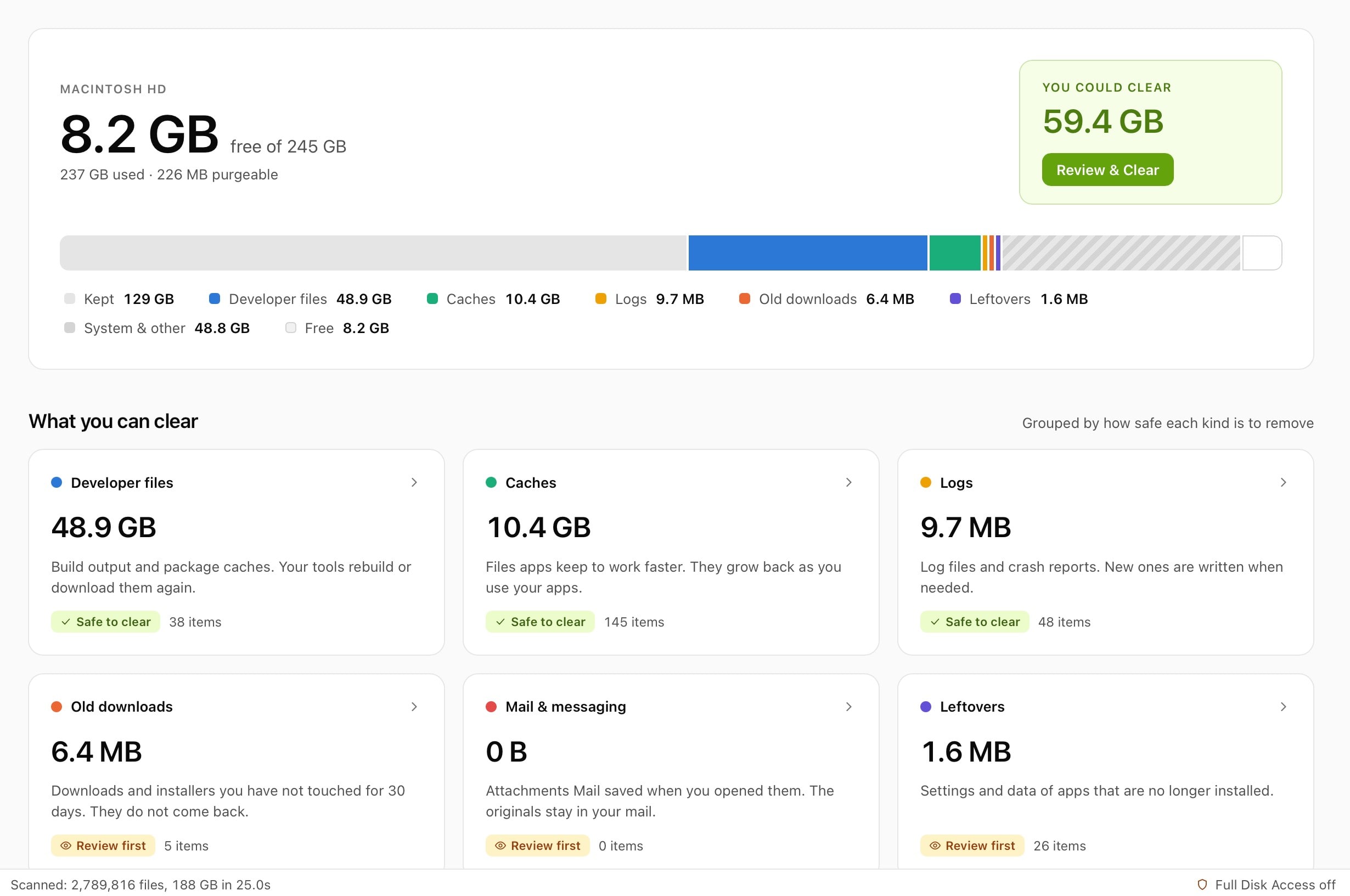
One scan, and your whole drive on one screen. Every coloured slice of the storage bar, named and sized.
Find
Find any file as you type, in every folder, including the hidden ones Finder skips.
Space
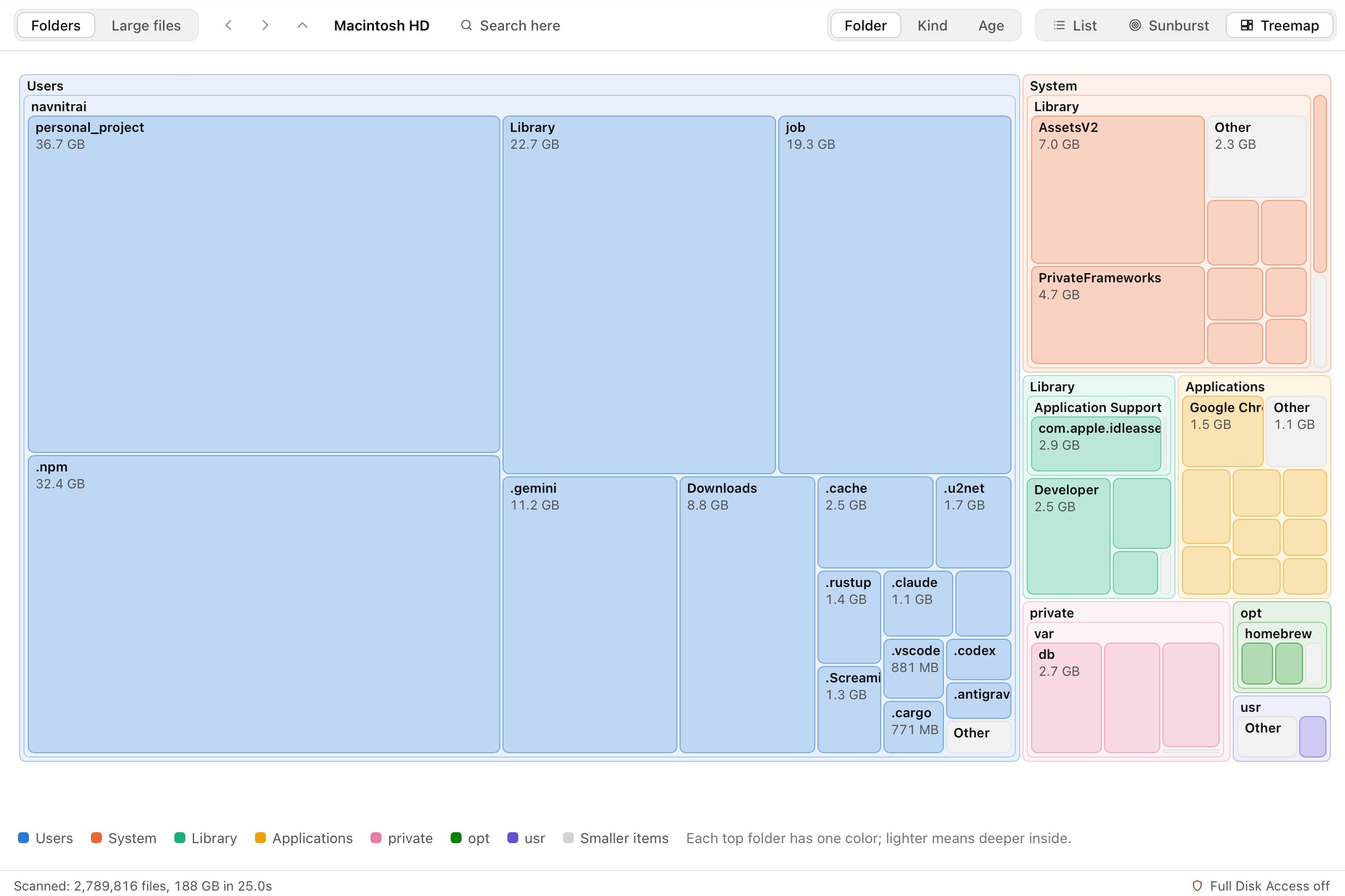
Your biggest files and folders, listed first. Old exports, VMs and backups rise straight to the top.
Cleanup
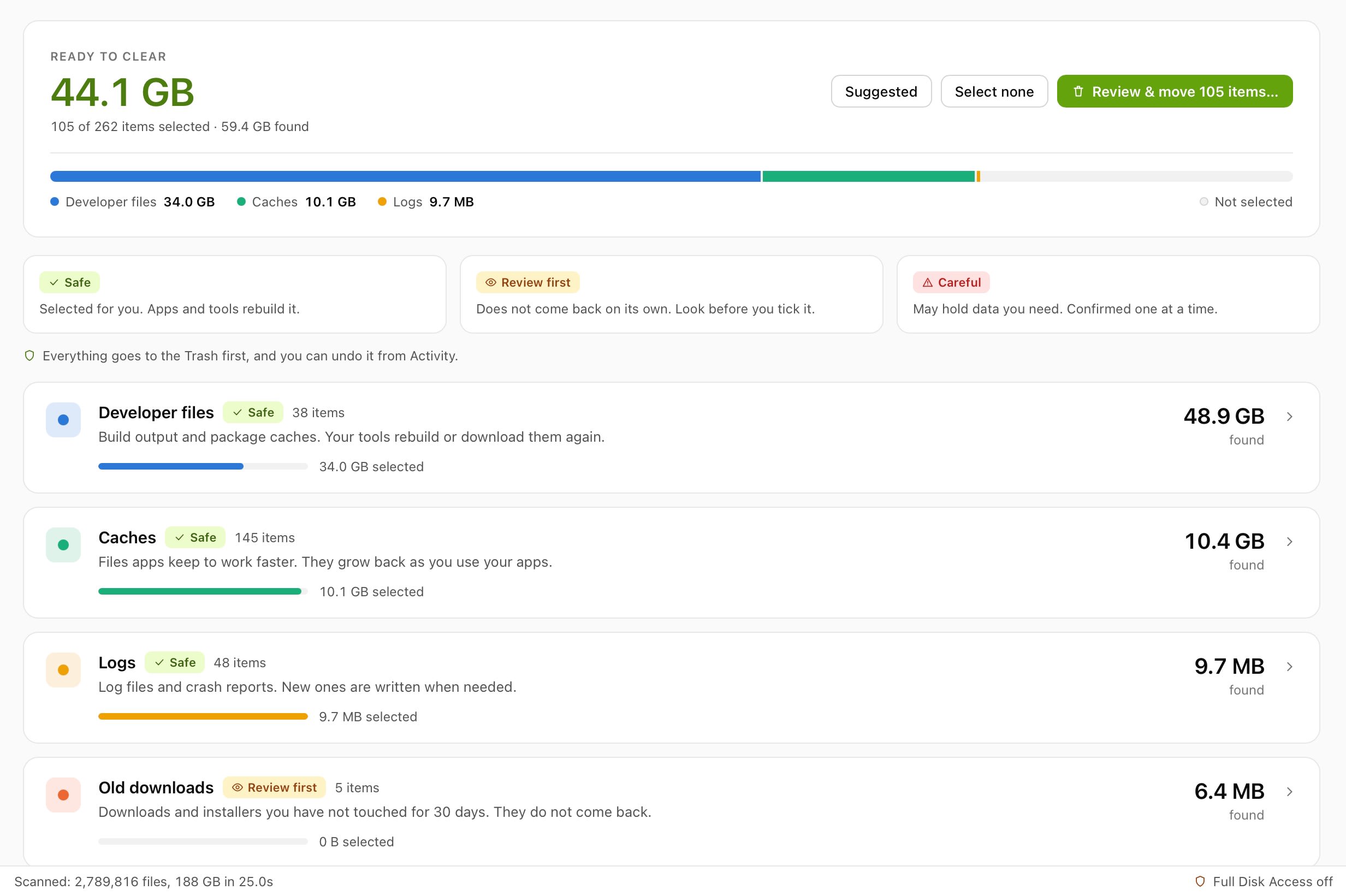
Caches, build files and old installers, grouped and added up, so you see what each cleanup frees.
Duplicates
Files that exist twice, matched byte for byte, never just by name.
Applications
Every app with its full size, plus the leftovers it leaves behind after you delete it.
Your storage bar, finally explained
System Settings shows a coloured bar and a few vague labels. MyMacStorage takes that same bar and names every slice, so you know what to keep and what to clear. Most disk space analyzers stop at a chart. MyMacStorage ties every slice to the files behind it, so you go from "what is this?" to cleared in the same window.
Safe by design
- Nothing is deleted. Every cleanup moves files to the Trash.
- One-click undo. Put a whole cleanup back exactly where it was.
- Private. Scans, hashing and duplicate matching all run on your Mac.
What usually fills a Mac
| Safe to clear | Worth a second look |
|---|---|
| Browser and app caches | System Data |
| Xcode DerivedData and simulators | Large, forgotten files |
Old .dmg and .pkg installers |
Duplicate photos and downloads |
Want to do it by hand first? Read our guide on how to free up space on a Mac.
Pricing
Pay once. Keep it.
No subscription. Every update is included.
$14.99
One-time payment · Mac and Windows
Everything included
- All six tools, no limits
- One key for Mac and Windows
- Every future update included
- No account, no subscription
- 2-day refund
- Licence key by email
- Secure checkout
Documentation
Get the most from MyMacStorage.
FAQ
MyMacStorage questions, answered.
Will it delete anything without asking?
No. You review every item first, and everything goes to the Trash, so you can always drag it back.
Can I undo a cleanup?
Yes. Undo puts a whole cleanup back in one click. Your files also stay in the Trash until you empty it yourself.
Does it upload my files or filenames?
No. Scanning, hashing and duplicate matching all run on your Mac. Only your licence key is checked online.
Is there a free trial?
No. MyMacStorage costs $14.99 once, with no trial and no subscription, and a 7-day refund if it isn't for you.
Can I use one licence on Windows too?
Yes. One key works with both the Mac and Windows versions.
Which Macs are supported?
Every Mac running macOS 14 Sonoma or later, on both Apple silicon and Intel.
More apps